MStarBinTool GUI is a free portable Windows application that provides a graphical interface for the original mstar-bin-tool command-line utility. Instead of typing commands manually, users can open, pack, unpack, and manage MStar firmware files through buttons, menus, and organized tabs.
Key Features of MStarBinTool GUI v2.4
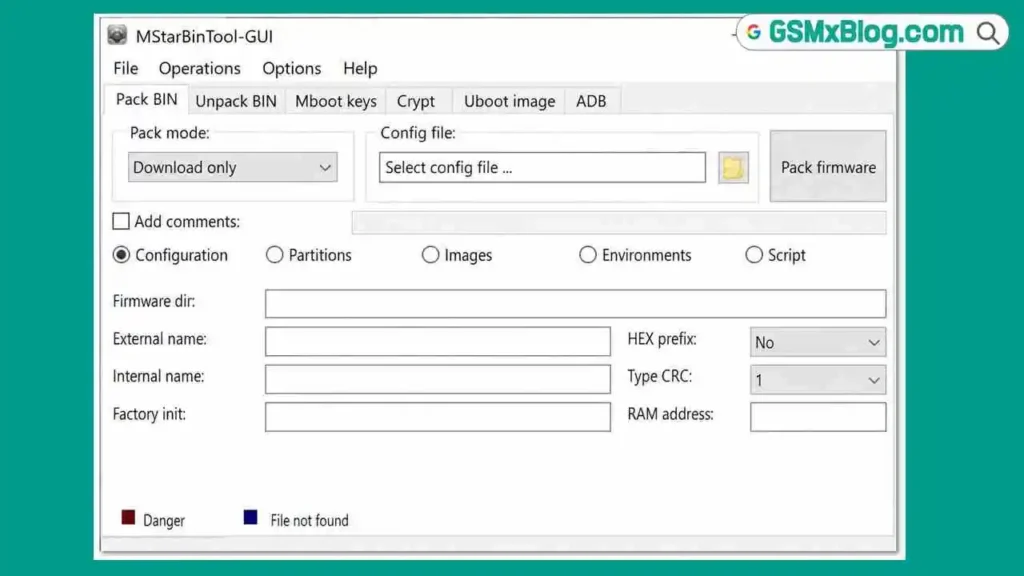
Pack BIN Tab
Select packing mode: Download Only / Format + Download / Script Only
Load a configuration file from PC
Enter firmware directory, internal name, external name, RAM address, and factory initialization values
Comment fields for partitions, images, and environments
Build complete MStar BIN firmware packages from modified contents
Unpack BIN Tab
Browse and load an existing BIN firmware file
Full Unpack mode available
Extract all contents from a firmware package into a working folder
Same familiar layout as the Pack BIN tab for easy navigation
For full use of the forum, you need to register. The registration will take only 1 minute and after that, you can enter and read topics. So don't hesitate and register now!


 Pack BIN Tab
 Unpack BIN Tab