


- Mar 24, 2025
- 77
- 4
- 18
Android Multi Tool v1.3.1.8 | BL Unlock | RPMB Read | RPMB Write | Partition Manager
Android Multi Tool v1.3.1.8 is a powerful software tool designed to help users manage Android devices. It offers several functions, including Bootloader (BL) Unlock, RPMB Read and Write, and a Partition Manager. This tool is useful for technicians and advanced users who need to modify, repair, or unlock Android devices.
Android Multi Tool v1.3.1.8: Download
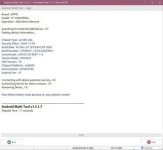
How to Use Android Multi Tool v1.3.1.8:
Using this tool requires technical knowledge, but here are the general steps:
Download and Install:
- Download the latest version from a trusted source.
- Extract and install the software on a Windows PC.
Enable USB Debugging on Your Device:
- Go to Settings > Developer Options > USB Debugging.
- If Developer Options is hidden, enable it by tapping Build Number multiple times in About Phone.
Connect the Device to the PC:
- Use a good-quality USB cable.
- Ensure proper drivers are installed for detection.
Select the Required Function:
- Choose BL Unlock to unlock the bootloader.
- Choose RPMB Read/Write for secure storage management.
- Choose Partition Manager for modifying partitions.
Execute the Operation:
- Click the action button in the tool.
- Follow on-screen instructions carefully.


