


- Mar 24, 2025
- 57
- 4
- 18
Android Cleaner Tool For Clear Cache & Data and Checking Battery Health
Android smartphones and tablets store a lot of data while running apps and performing tasks. Over time, this data can slow down the device and affect performance. An Android Cleaner Tool helps remove unnecessary files, clear cache and data, and check battery health.
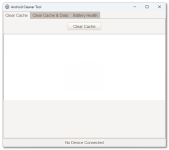
Features of an Android Cleaner Tool:
Clearing Cache
- Cache files are temporary files stored by apps to load faster.
- Over time, these files accumulate and take up storage space.
- The cleaner tool removes old cache files, freeing up space.
Clearing Data
- Some apps store large amounts of data, which can slow down the device.
- The cleaner tool deletes unnecessary data while keeping important files safe.
Removing Junk Files
- Junk files include temporary files, logs, and unused system files.
- Removing these files helps improve performance and free up storage.
Checking Battery Health
- The tool monitors battery usage and detects apps draining power.
- It provides recommendations to extend battery life.
- It may show battery temperature and charging status.
Managing Apps
- Some cleaner tools allow users to uninstall unwanted apps easily.
- They also detect rarely used apps and suggest removal.


 Full Setup Download Link ◀