




News ★★★ Post All Successfully Repaired Phones by Hydra Tool ★★★
- Thread starter SWAPAN_MISHRA™
- Start date
You are using an out of date browser. It may not display this or other websites correctly.
You should upgrade or use an alternative browser.
You should upgrade or use an alternative browser.
News

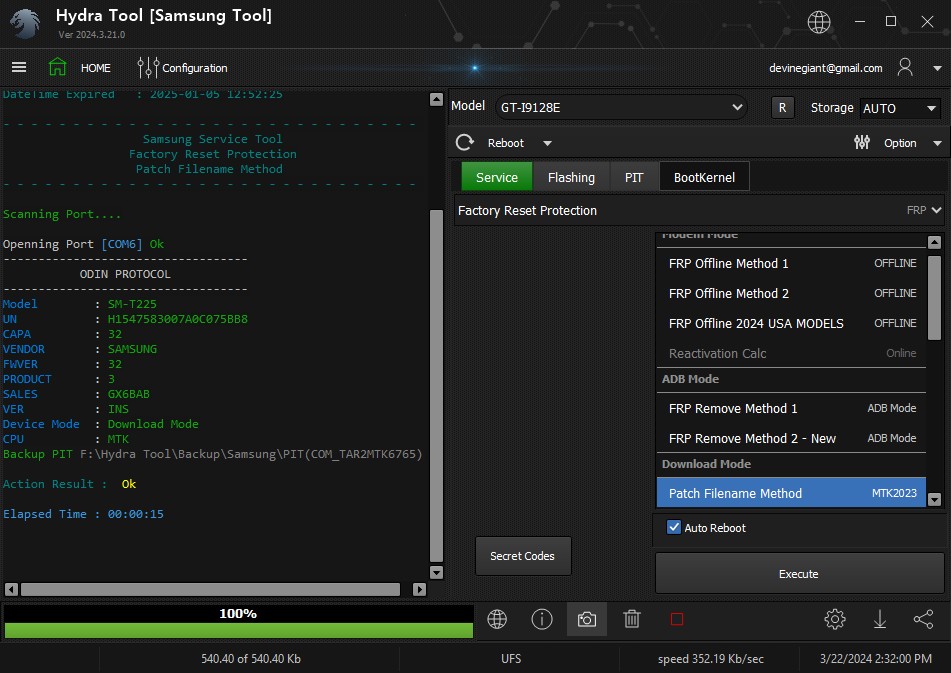
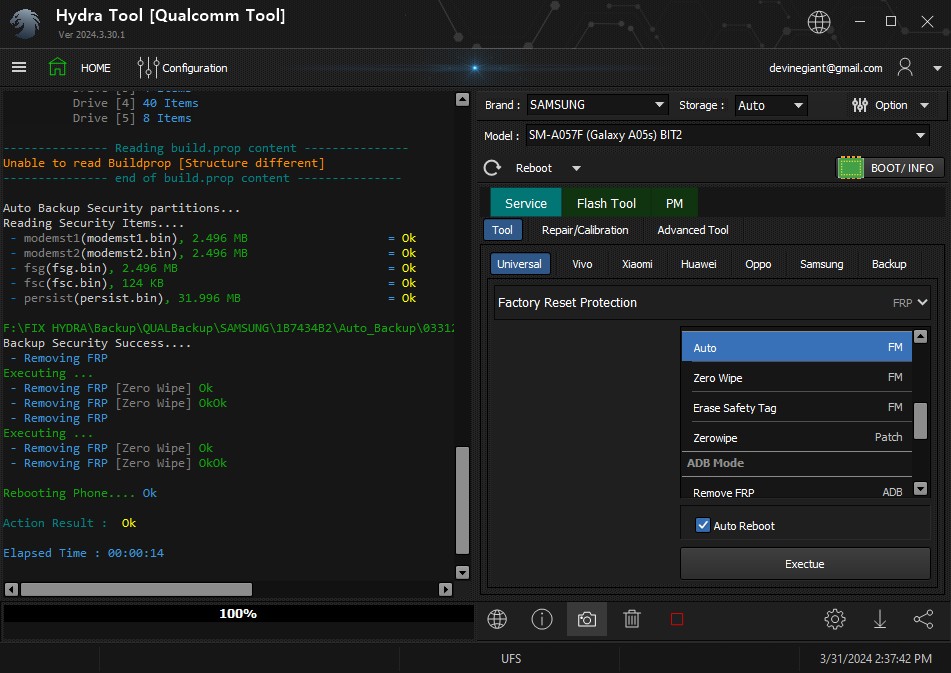
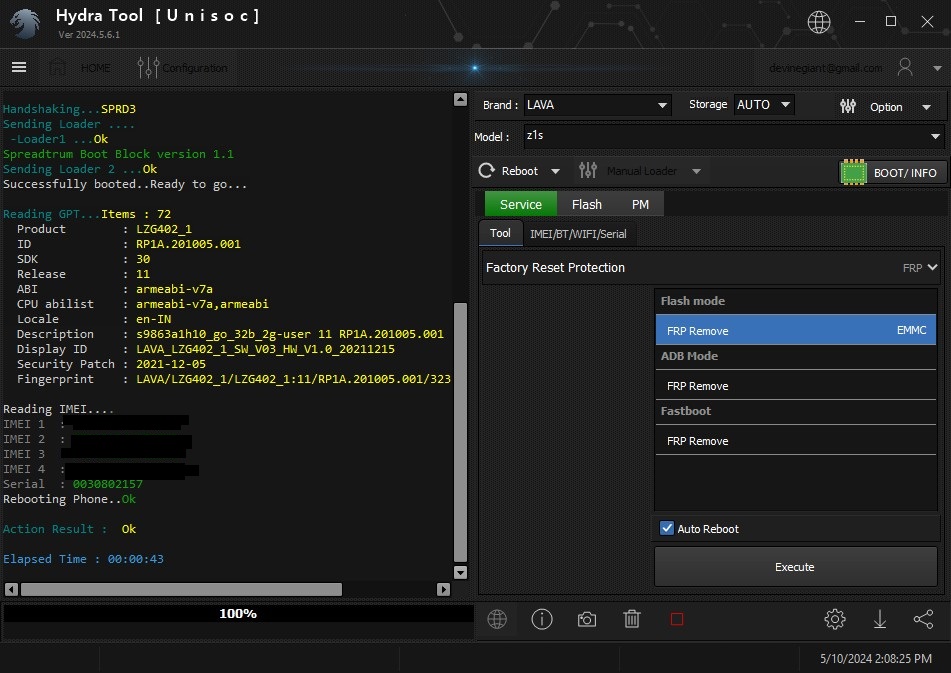
Infinix GT 20 Pro (X6871) SUCCESS WITHOUT ANY CREDIT FREE AUTH ONLY HYDRA TOOL
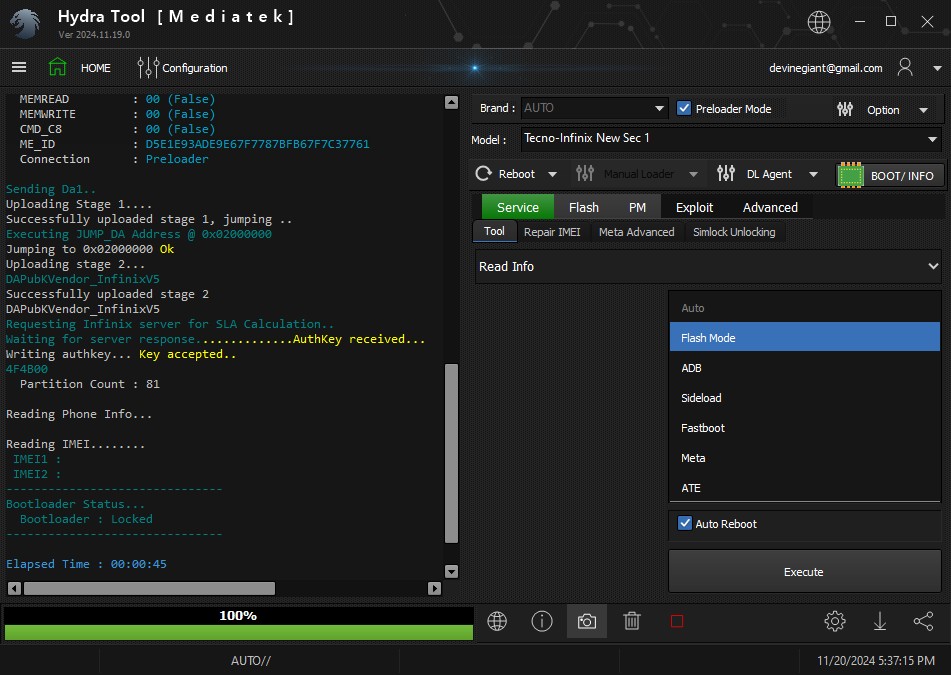
Code:
Credits Remaining  : 0

-------------------------------------------------------
BROM  Mode :
     Method 1    - Bootkey (Vol + - Power) or any combination
     Method 2    - Enable Preloader to brom(crashing Method)
     Method 3    - Test Point Data0 + ground
Preloader  Mode :
     Method 1    - Just Insert cable
-------------------------------------------------------

Searching for MTK Device...Found
  MTK Port Type   : Flashmode Preloader
  FriendlyName    : MediaTek PreLoader USB VCOM_V1632 (Android) (COM12)
  Device          : /5&1cbdcd65&0&3
  SymbolicName    : \\?\usb#vid_0e8d&pid_2000#5&1cbdcd65&0&3#{a5dcbf10-6530-11d2-901f-00c04fb951ed}
  Driver Ver      : 01/22/2015,3.0.1504.0
  Service         : wdm_usb


Handshaking...Ok
  HwCode          : 1172 {MT6895}
  Hwver           : 0000
  HW Subcode      : 8A00
  HW Subcode      : CA00
  SW Ver          : 0000
  Connection      : Preloader
  Target config   : 05
  SBC             : 01 (True)
  SLA             : 00 (False)
  DAA             : 04 (True)
  SWJTAG          : 04 (True)
  EPP             : 00 (False)
  CERT            : 00 (False)
  MEMREAD         : 00 (False)
  MEMWRITE        : 00 (False)
  CMD_C8          : 00 (False)
  ME_ID           : D5E1E93ADE9E67F7787BFB67F7C37761
  Connection      : Preloader

Sending Da1..
Uploading Stage 1....
Successfully uploaded stage 1, jumping ..
Executing JUMP_DA Address @ 0x02000000
Jumping to 0x02000000 Ok
Uploading stage 2...
DAPubKVendor_InfinixV5
Successfully uploaded stage 2
DAPubKVendor_InfinixV5
Requesting Infinix server for SLA Calculation..
Waiting for server response..............AuthKey received...
Writing authkey... Key accepted..
4F4B00
  Partition Count : 81

Reading Phone Info...

Reading IMEI........
 IMEI1 :
 IMEI2 :
-------------------------------
Bootloader Status...
  Bootloader : Locked
-------------------------------

Elapsed Time : 00:00:45
Code:
Credits Remaining  : 0

- - - - - - - - - - - - - - - - - - - - - - - - - - - - - -
                      Service Function
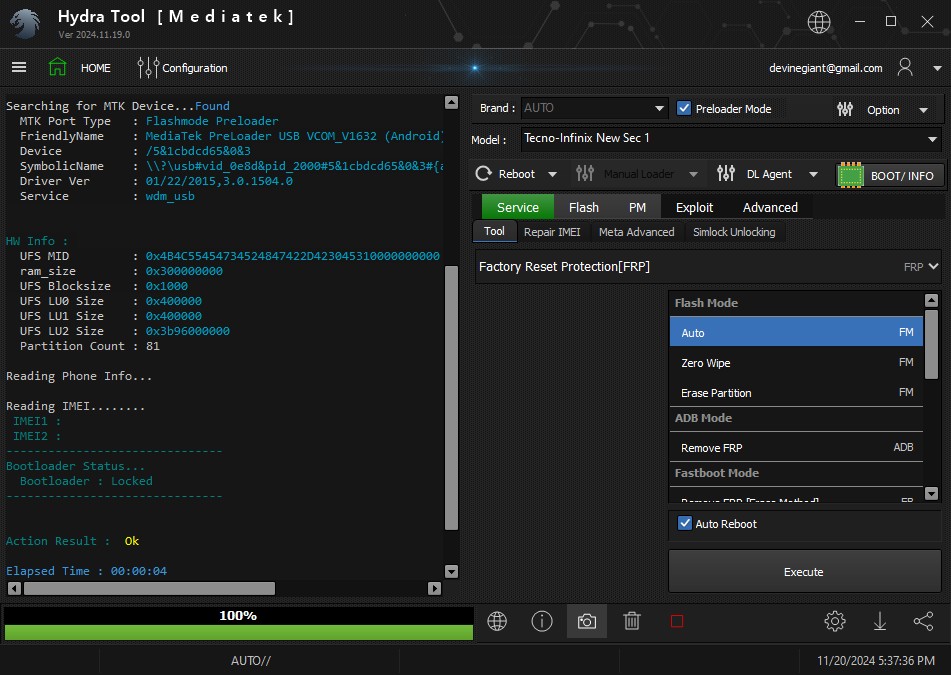
               Factory Reset Protection[FRP]
                            Auto
- - - - - - - - - - - - - - - - - - - - - - - - - - - - - -

Searching for MTK Device...Found
  MTK Port Type   : Flashmode Preloader
  FriendlyName    : MediaTek PreLoader USB VCOM_V1632 (Android) (COM12)
  Device          : /5&1cbdcd65&0&3
  SymbolicName    : \\?\usb#vid_0e8d&pid_2000#5&1cbdcd65&0&3#{a5dcbf10-6530-11d2-901f-00c04fb951ed}
  Driver Ver      : 01/22/2015,3.0.1504.0
  Service         : wdm_usb


HW Info :
  UFS MID         : 0x4B4C55454734524847422D423045310000000000
  ram_size        : 0x300000000
  UFS Blocksize   : 0x1000
  UFS LU0 Size    : 0x400000
  UFS LU1 Size    : 0x400000
  UFS LU2 Size    : 0x3b96000000
  Partition Count : 81

Reading Phone Info...

Reading IMEI........
 IMEI1 :
 IMEI2 :
-------------------------------
Bootloader Status...
  Bootloader : Locked
-------------------------------


Action Result :  Ok

Elapsed Time : 00:00:04
REDMI NOTE 13 4G FRP DONE!
Hydra Tool Ver 2025.2.21.0
Windows 10 (Version 22H2, OS Build 19045.5131, 64-bit Edition)
Intel(R) Core(TM) i5-7200U CPU @ 2.50GHz
Intel(R) HD Graphics 620
Ram Installed : 8 GB
Windows Access Right : Admin
Software Run As Admnistrator
******* Dongle Info *******
Version : Hydra Tool v 2.21
Serial : XXXXXXXXXXXX
Initialize : OKAY
Status : Activated
Life : 0 [0-0-0-0-0]
- - - - - - - - - - - - - - - - - - - - - - - - - - - - - -
Qualcomm Service Tool
Factory Reset Protection
Auto
- - - - - - - - - - - - - - - - - - - - - - - - - - - - - -
PreOperation Configuration
Brand : XIAOMI Model : Redmi Note 13 4G (saphire) Storage : Auto
Loader:
Port : Auto
Searching for Qualcomm 9008 Device...Found
FriendlyName :Qualcomm HS-USB QDLoader 9008 (COM33)
SymbolicName :\\?\usb#vid_05c6&pid_9008#5&3029f02f&0&1#{a5dcbf1 0-6530-11d2-901f-00c04fb951ed}
Driver Ver :03/19/2014,2.1.1.2
=========Sahara Boot=========
Initialize...Ok
Getting Info...
Serial No.: 0x9AF843DA
PK HASH : 1bebe3863a6781db4b01086063007334de9e5ca14971c7c4f4 358ec9d79cda46
HW_ID : 001B80E100720000
MSM ID : 0x001B80E1, SD680-Qualcomm SM6225 Snapdragon 680 4G (6 nm)/DivarPkgLAA
MODEL_ID : 0x0000
OEM_ID : 0x0072 - XIAOMI
Assigned Loader Not Found...
Hydra Enable Auto search Firehose..
#Please wait...
#Search by filename filter.....
#Found 22 Compatible Files ..Found match Firehose...
Firehose Loader[0000000000720000_1bebe3863a6781db_074a3d4a_xiaomi_ auth.fhprg]
--------------------------------------------------
Header Type :
TargetMSM :
Tag : _auth
Version : 6
Code_size : 816
Signature_size : 256
fhVendor : XIAOMI
HW_ID : 0000000000720000
Vendor : XIAOMI
OEM_ID : 0072
MODEL_ID : 0000
SW_ID : 00000003
APP_ID :
pk_hash : 1bebe3863a6781db4b01086063007334de9e5ca14971c7c4f4 358ec9d79cda4692ce5e948c6fd409408f4c919fcadfe3
OEM_VERSION : m1-xm-ota-bd149.bj.idc.xiaomi.com
IMAGE_VARIANT : DivarPkgLAA
QC_VERSION : BOOT.XF.4.1-00316-KAMORTALAZ-1.449341.1
--------------------------------------------------
Preparing to write loader...Ok
Sending ...................................Ok
Connecting to Firehose...
Ping...................... Ok
Configuration[FHProt_Auto].
Xiaomi Authentication needed...
Signature Request ->
Signature Request -> bob[1DNQ4rm1BiAwxple58fxauzzE0Q]
Signature @256bytes Authentication.. Accepted........
Identifying Chip........UFS
Ok
Chip Configuration :
MemoryName : UFS
MaxPayloadSizeToTargetInBytes : 1048576
MaxPayloadSizeToTargetInBytesSupported : 1048576
MaxPayloadSizeFromTargetInBytes :
MaxXMLSizeInBytes : 4096
TargetName :
Version : 1
DateTime : Jun 21 2022 - 22:28:42
*** STORAGE DEVICE INFO ***
Memory Type : UFS
Block Size in Bytes : 4096
Page Size : 4096
Manufacturer ID : 2715
Serial Number : 1413677056
Firmware Version : .a
Product Name : YMUS8B2TE2A2C1
Physical Partitions : 6
Total Logical Blocks:
Drive [0] 30697472[117.102 GB]
Drive [1] 2048[8 MB]
Drive [2] 2048[8 MB]
Drive [3] 8192[32 MB]
Drive [4] 524288[2 GB]
Drive [5] 4096[16 MB]
Protocol : Universal
Running : Ok
Reading GPT[6]
Drive [0] 32 Items
Drive [1] 32 Items
Drive [2] 32 Items
Drive [3] 32 Items
Drive [4] 96 Items
Drive [5] 32 Items
--------------- Reading build.prop content ---------------
Error reading Memory..
Auto Backup Security partitions...
Reading Security Items....
- modemst1(modemst1.bin), 2.996 MB = Ok
- modemst2(modemst2.bin), 2.996 MB = Ok
- fsg(fsg.bin), 2.996 MB = Ok
- fsc(fsc.bin), 124 KB = Ok
- persist(persist.bin), 31.996 MB = Ok
C:\Hydra Tool\Backup\QUALBackup\XIAOMI\9AF843DA\Auto_Backup \010325150818
Backup Security Success....
- Removing FRP
Executing ...
- Removing FRP [Zero Wipe] OkOk
Rebooting Phone.... Ok
Action Result : Ok
Elapsed Time : 00:01:27
Hydra Tool Ver 2025.2.21.0
Windows 10 (Version 22H2, OS Build 19045.5131, 64-bit Edition)
Intel(R) Core(TM) i5-7200U CPU @ 2.50GHz
Intel(R) HD Graphics 620
Ram Installed : 8 GB
Windows Access Right : Admin
Software Run As Admnistrator
******* Dongle Info *******
Version : Hydra Tool v 2.21
Serial : XXXXXXXXXXXX
Initialize : OKAY
Status : Activated
Life : 0 [0-0-0-0-0]
- - - - - - - - - - - - - - - - - - - - - - - - - - - - - -
Qualcomm Service Tool
Factory Reset Protection
Auto
- - - - - - - - - - - - - - - - - - - - - - - - - - - - - -
PreOperation Configuration
Brand : XIAOMI Model : Redmi Note 13 4G (saphire) Storage : Auto
Loader:
Port : Auto
Searching for Qualcomm 9008 Device...Found
FriendlyName :Qualcomm HS-USB QDLoader 9008 (COM33)
SymbolicName :\\?\usb#vid_05c6&pid_9008#5&3029f02f&0&1#{a5dcbf1 0-6530-11d2-901f-00c04fb951ed}
Driver Ver :03/19/2014,2.1.1.2
=========Sahara Boot=========
Initialize...Ok
Getting Info...
Serial No.: 0x9AF843DA
PK HASH : 1bebe3863a6781db4b01086063007334de9e5ca14971c7c4f4 358ec9d79cda46
HW_ID : 001B80E100720000
MSM ID : 0x001B80E1, SD680-Qualcomm SM6225 Snapdragon 680 4G (6 nm)/DivarPkgLAA
MODEL_ID : 0x0000
OEM_ID : 0x0072 - XIAOMI
Assigned Loader Not Found...
Hydra Enable Auto search Firehose..
#Please wait...
#Search by filename filter.....
#Found 22 Compatible Files ..Found match Firehose...
Firehose Loader[0000000000720000_1bebe3863a6781db_074a3d4a_xiaomi_ auth.fhprg]
--------------------------------------------------
Header Type :
TargetMSM :
Tag : _auth
Version : 6
Code_size : 816
Signature_size : 256
fhVendor : XIAOMI
HW_ID : 0000000000720000
Vendor : XIAOMI
OEM_ID : 0072
MODEL_ID : 0000
SW_ID : 00000003
APP_ID :
pk_hash : 1bebe3863a6781db4b01086063007334de9e5ca14971c7c4f4 358ec9d79cda4692ce5e948c6fd409408f4c919fcadfe3
OEM_VERSION : m1-xm-ota-bd149.bj.idc.xiaomi.com
IMAGE_VARIANT : DivarPkgLAA
QC_VERSION : BOOT.XF.4.1-00316-KAMORTALAZ-1.449341.1
--------------------------------------------------
Preparing to write loader...Ok
Sending ...................................Ok
Connecting to Firehose...
Ping...................... Ok
Configuration[FHProt_Auto].
Xiaomi Authentication needed...
Signature Request ->
Signature Request -> bob[1DNQ4rm1BiAwxple58fxauzzE0Q]
Signature @256bytes Authentication.. Accepted........
Identifying Chip........UFS
Ok
Chip Configuration :
MemoryName : UFS
MaxPayloadSizeToTargetInBytes : 1048576
MaxPayloadSizeToTargetInBytesSupported : 1048576
MaxPayloadSizeFromTargetInBytes :
MaxXMLSizeInBytes : 4096
TargetName :
Version : 1
DateTime : Jun 21 2022 - 22:28:42
*** STORAGE DEVICE INFO ***
Memory Type : UFS
Block Size in Bytes : 4096
Page Size : 4096
Manufacturer ID : 2715
Serial Number : 1413677056
Firmware Version : .a
Product Name : YMUS8B2TE2A2C1
Physical Partitions : 6
Total Logical Blocks:
Drive [0] 30697472[117.102 GB]
Drive [1] 2048[8 MB]
Drive [2] 2048[8 MB]
Drive [3] 8192[32 MB]
Drive [4] 524288[2 GB]
Drive [5] 4096[16 MB]
Protocol : Universal
Running : Ok
Reading GPT[6]
Drive [0] 32 Items
Drive [1] 32 Items
Drive [2] 32 Items
Drive [3] 32 Items
Drive [4] 96 Items
Drive [5] 32 Items
--------------- Reading build.prop content ---------------
Error reading Memory..
Auto Backup Security partitions...
Reading Security Items....
- modemst1(modemst1.bin), 2.996 MB = Ok
- modemst2(modemst2.bin), 2.996 MB = Ok
- fsg(fsg.bin), 2.996 MB = Ok
- fsc(fsc.bin), 124 KB = Ok
- persist(persist.bin), 31.996 MB = Ok
C:\Hydra Tool\Backup\QUALBackup\XIAOMI\9AF843DA\Auto_Backup \010325150818
Backup Security Success....
- Removing FRP
Executing ...
- Removing FRP [Zero Wipe] OkOk
Rebooting Phone.... Ok
Action Result : Ok
Elapsed Time : 00:01:27